
Setting Up Trust Wallet for BNB Gambling
Last updated: June 3, 2026
Trust Wallet is the easiest way to use BNB on mobile, mostly because there’s nothing to configure. BNB Smart Chain is supported natively — no custom network, no RPC settings, no chain ID to type. You install the app, secure your recovery phrase, and you’re ready to send BNB and BEP-20 tokens straight away. That zero-setup experience is why it’s the wallet most first-time players reach for before depositing at the best BNB casinos. This guide covers setup, funding, and connecting to a casino.
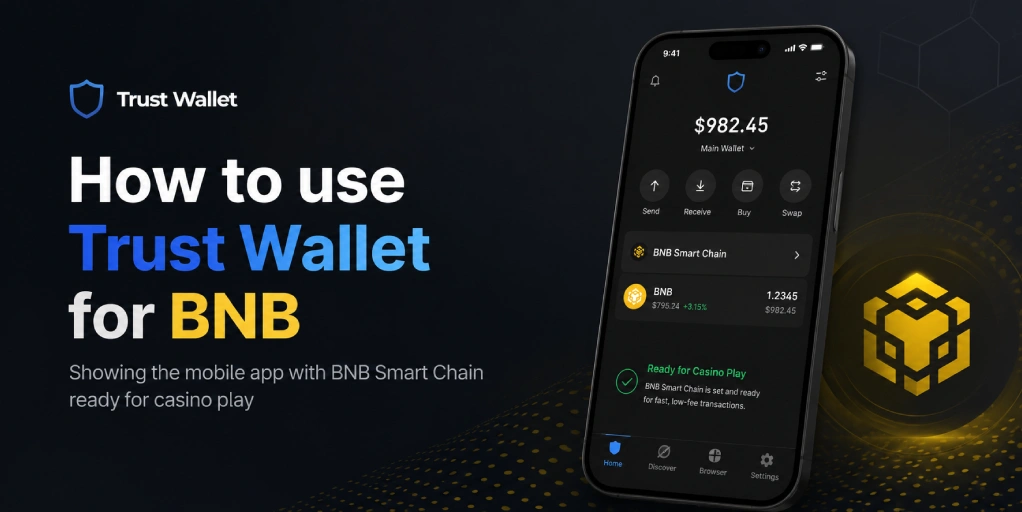
Table of contents
Step 1: Install Trust Wallet
Download Trust Wallet only from the official App Store or Google Play listing, or from trustwallet.com. As with any wallet, fake clones exist and are designed to steal funds, so avoid links from ads or messages. There’s also a browser extension, but Trust Wallet is mobile-first and most players use the app.
When you create a new wallet, you’ll be shown a 12-word recovery phrase. Write it down on paper and store it offline somewhere safe. Don’t screenshot it, don’t save it to cloud notes, and never enter it into any website or share it with anyone. That phrase is the only thing that can restore your wallet — and the only thing a thief needs to empty it. Getting this right matters more than any other step. Our BNB wallet security tips go through the habits that keep funds safe.
Step 2: Find BNB and BEP-20 Tokens
Unlike MetaMask, Trust Wallet supports BNB Smart Chain out of the box, so there’s no network to add. BNB usually appears in your asset list by default. If you want to hold BEP-20 tokens like USDT or USDC, tap the manage icon (the toggle or filter button on the main screen), search for the token, and switch it on. Make sure you’re enabling the BNB Smart Chain version — the same token often exists on several chains, and you want the one labelled BNB Smart Chain or BEP-20.
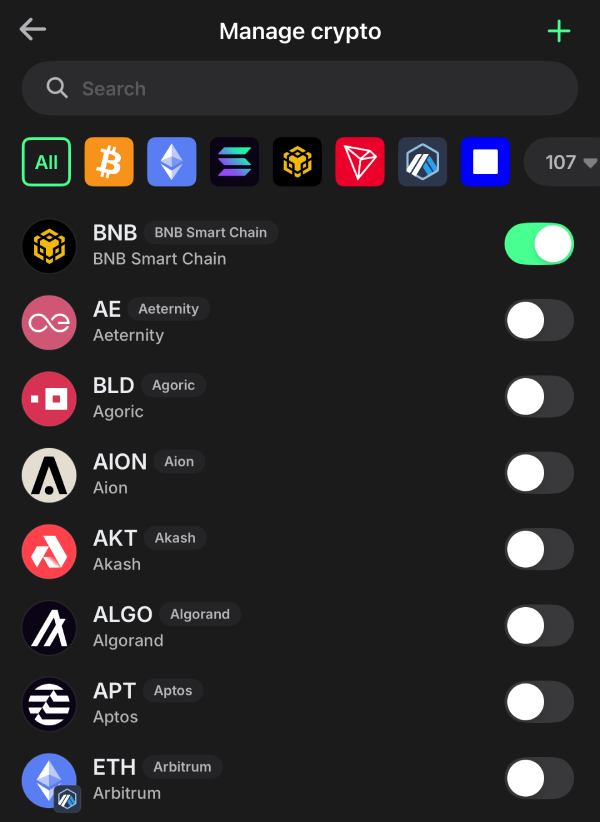
This is also where you confirm you’re looking at the right network when checking balances. If a token doesn’t appear after a deposit, it’s usually because the token isn’t enabled or you’re viewing a different chain’s version. For the wider context on what BEP-20 is and why the network label matters, see our guide on what BEP-20 means.
Step 3: Fund Your Wallet With BNB
Tap BNB in your asset list, then “Receive,” to see your wallet address and a QR code. Buy BNB on an exchange such as Binance, Coinbase, or Kraken, and withdraw it to that address. When the exchange asks which network to use, choose BNB Smart Chain (BSC / BEP-20) — not Ethereum and not BNB Beacon Chain. Choosing the wrong network is the single most common way deposits go missing.
Send a small test first — 0.01 BNB — and wait for it to land before sending the full amount. Trust Wallet’s QR code makes this easy: scanning it removes the risk of mistyping an address. Buy slightly more BNB than you intend to deposit, since every BSC transaction needs a little BNB for gas, even when sending other tokens. The complete transfer process is covered in our guide on funding your casino account with BNB.
Step 4: Connect Trust Wallet to a BNB Casino
The most common way to connect is WalletConnect. On the casino’s site, choose “Connect Wallet” and select WalletConnect or Trust Wallet; a QR code appears. Open Trust Wallet, use its WalletConnect scanner, and point it at the code. The wallet pairs with the casino in seconds, and from then on you approve transactions inside the app. Some versions of Trust Wallet also include a built-in DApp browser you can use to open a casino directly.
You can also skip connecting entirely and just send BNB manually to the casino’s deposit address — copy it from the casino, paste it into Trust Wallet’s send screen, and confirm. Whichever method you use, only ever connect on the official casino domain; phishing sites copy real casinos to capture wallet approvals. Our guide on how to start playing with BNB covers the setup process and payment methods in detail.
Step 5: Deposit and Withdraw
To deposit, send BNB from Trust Wallet to the casino’s BNB Smart Chain address, or approve the deposit through a WalletConnect session. The transaction confirms on-chain in about a minute, and most casinos credit your balance shortly after. To withdraw, enter your Trust Wallet address on the casino’s withdrawal page, select BNB Smart Chain as the network, and confirm — the payout returns to your wallet once the casino processes it.
Get into the habit of withdrawing to your wallet when you finish playing rather than leaving funds on the casino. The fee on BSC is only cents, so there’s no cost reason to leave a balance sitting on a platform. Our guides on BNB casino deposits and BNB casino withdrawals cover what to expect on timing and limits.
Tips and Troubleshooting
Most Trust Wallet issues with BNB are quick to resolve. If a token doesn’t show after a deposit, enable it in the manage-crypto screen and confirm you’re looking at the BNB Smart Chain version. If a transaction won’t send, you almost certainly need more BNB for gas — keep a small reserve at all times. If a casino won’t connect, refresh the WalletConnect session and check you’re on the official site.
If a transfer sticks as pending, it’s usually network congestion or a low gas issue and normally clears on its own; our guide on what to do when a BNB transaction is stuck covers the steps. If you’re weighing Trust Wallet against a desktop option, our how to choose a BNB wallet guide compares the trade-offs. And when your wallet is ready, our how to choose a BNB casino guide and casino reviews help you pick where to play — Shuffle is one platform that connects cleanly with Trust Wallet. You can also see the full list of casinos that accept BNB to compare.
Always gamble responsibly. Read our responsible gambling page for practical guidance, and see our advertiser disclosure for affiliate information.
FAQ
- Does Trust Wallet support BNB Smart Chain?
Yes, natively. Unlike MetaMask, there’s no custom network to add — BNB Smart Chain works out of the box. BNB appears in your assets by default, and you can enable any BEP-20 token from the manage-crypto screen. - Is Trust Wallet safe for BNB gambling?
Trust Wallet is non-custodial, so you control the private keys, and it has a solid security record. Its safety comes down to how you store your recovery phrase and whether you only connect to legitimate casino sites. The wallet itself is widely trusted. - How do I connect Trust Wallet to a casino?
Use WalletConnect: choose Connect Wallet on the casino, select WalletConnect or Trust Wallet, and scan the QR code with Trust Wallet’s scanner. Alternatively, copy the casino’s deposit address and send BNB manually from the wallet. - Why isn’t my token showing in Trust Wallet?
Usually because the token isn’t enabled or you’re viewing a different chain’s version. Open the manage-crypto screen, search for the token, and switch on the BNB Smart Chain (BEP-20) version. Confirm the deposit succeeded on BscScan if it still doesn’t appear. - Do I need BNB for fees in Trust Wallet?
Yes. Every BNB Smart Chain transaction is paid for in BNB, including transfers of BEP-20 tokens. Keep a small BNB balance — around 0.01 is enough — so you can always cover gas, even when sending USDT or other tokens. - Is Trust Wallet better than MetaMask for BNB?
For mobile play, Trust Wallet is simpler because BSC works with no setup. For desktop play, MetaMask’s browser extension is smoother. Many players use both — Trust Wallet on the phone, MetaMask on the computer. - Can I use Trust Wallet on desktop?
There is a Trust Wallet browser extension, but the app is mobile-first and that’s where most players use it. If you primarily gamble on desktop, a browser-extension wallet like MetaMask may suit you better. - What happens if I send BNB to Trust Wallet on the wrong network?
The funds arrive at your address on the wrong chain and may not display under BNB Smart Chain. Recovery depends on whether the asset can be surfaced or returned by the sending platform. Sending a small test amount first every time prevents the problem.

BNB Casino is an independent website reviewing crypto casinos that accept BNB. We are not a gambling operator and do not accept bets or process payments. Some links are affiliate links, meaning we may earn a commission at no extra cost to you. 18+ only. Please gamble responsibly.